 Noverdbee
Databases for you and your AI
An open-source PostgreSQL and SQLite client with a built-in MCP server, so you and your agent work the same databases from one app, and every tab tells you which environment it is about to hit.
Download for macOS, Windows or Linux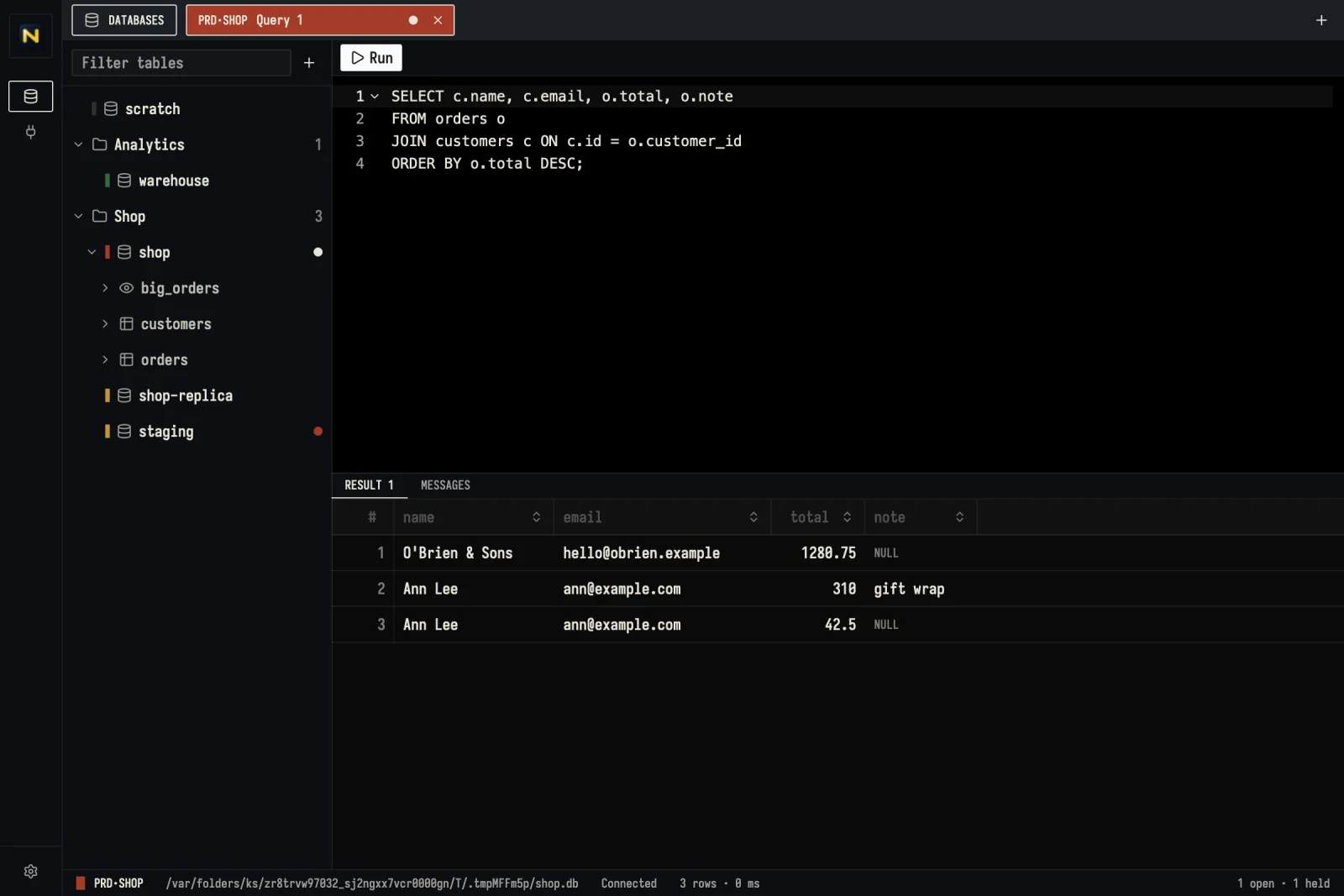
Let an AI agent read your data
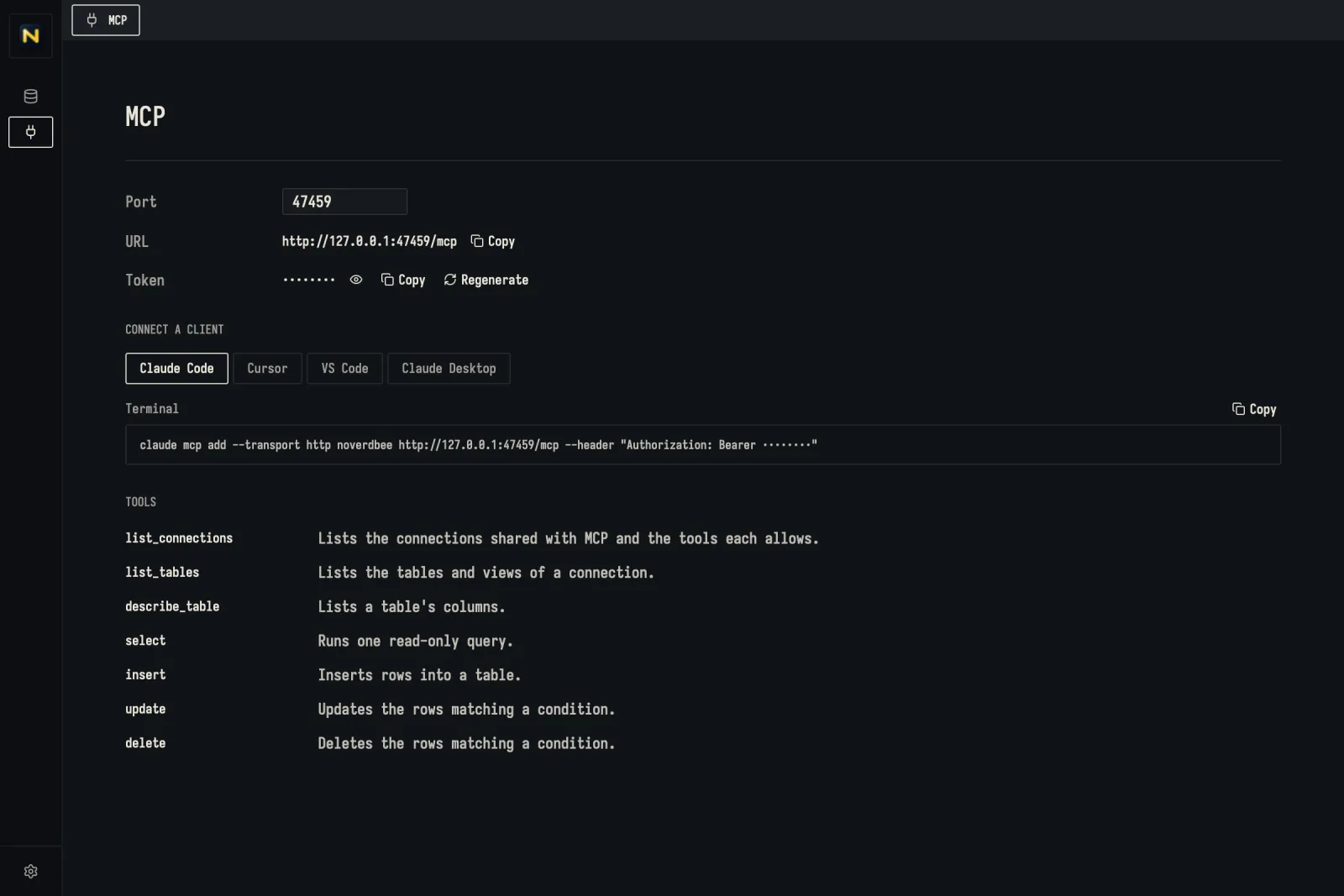
Turn on MCP and Claude Code, Cursor, VS Code or Claude Desktop can list your tables, read their columns and run queries against the connections you share, with the tools you tick on each one.
- Listens on 127.0.0.1 only, and every request needs the token kept in Noverdbee's local database.
- A connection stays out of MCP until you allow a tool on it. Select, insert, update and delete are separate switches.
- The agent sees a connection's name, driver and environment, never its host or password.
selectruns on its own read-only session: SQLite opens the file read-only, PostgreSQL runs a read-only transaction.
Tools AI clients may use
One window for
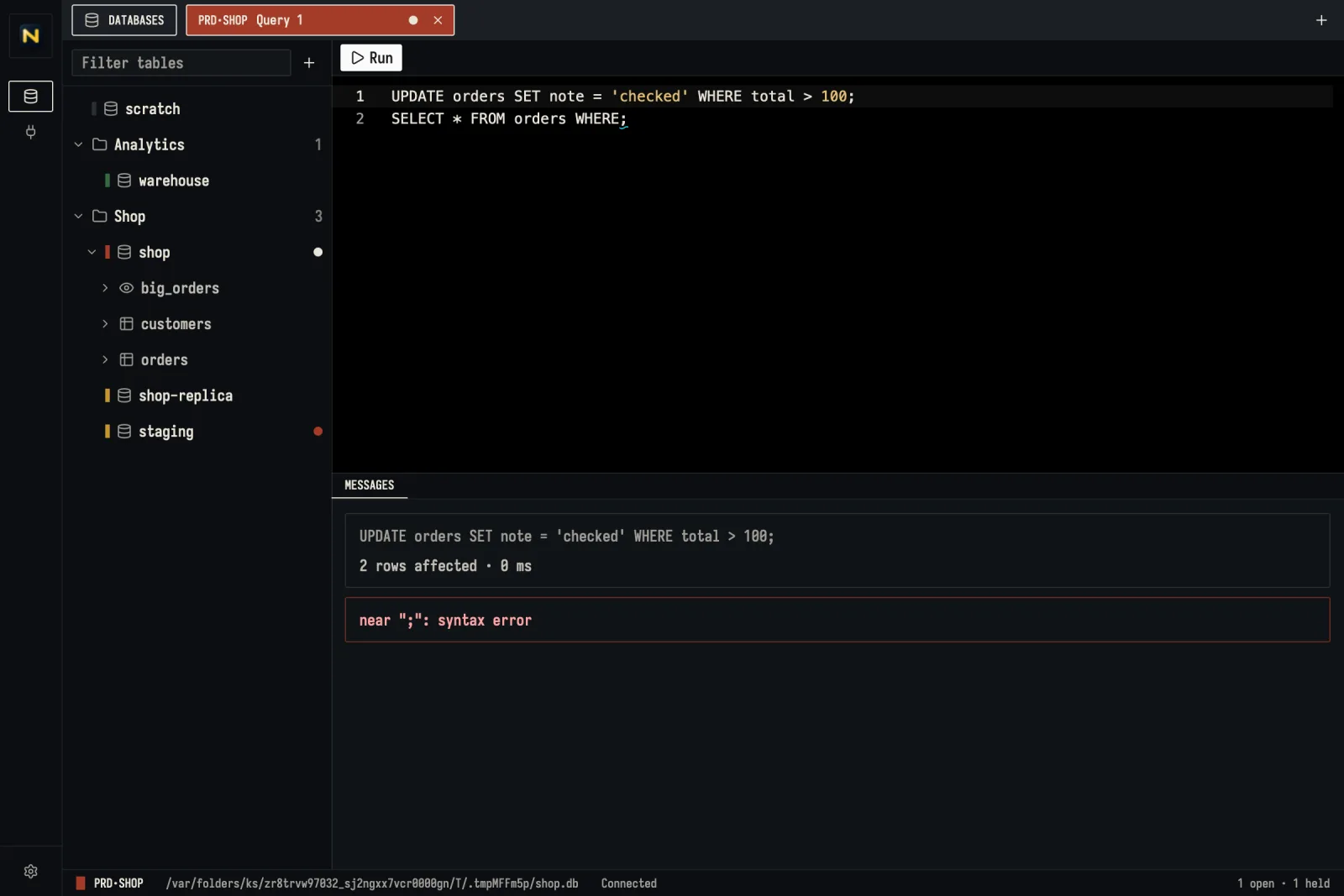
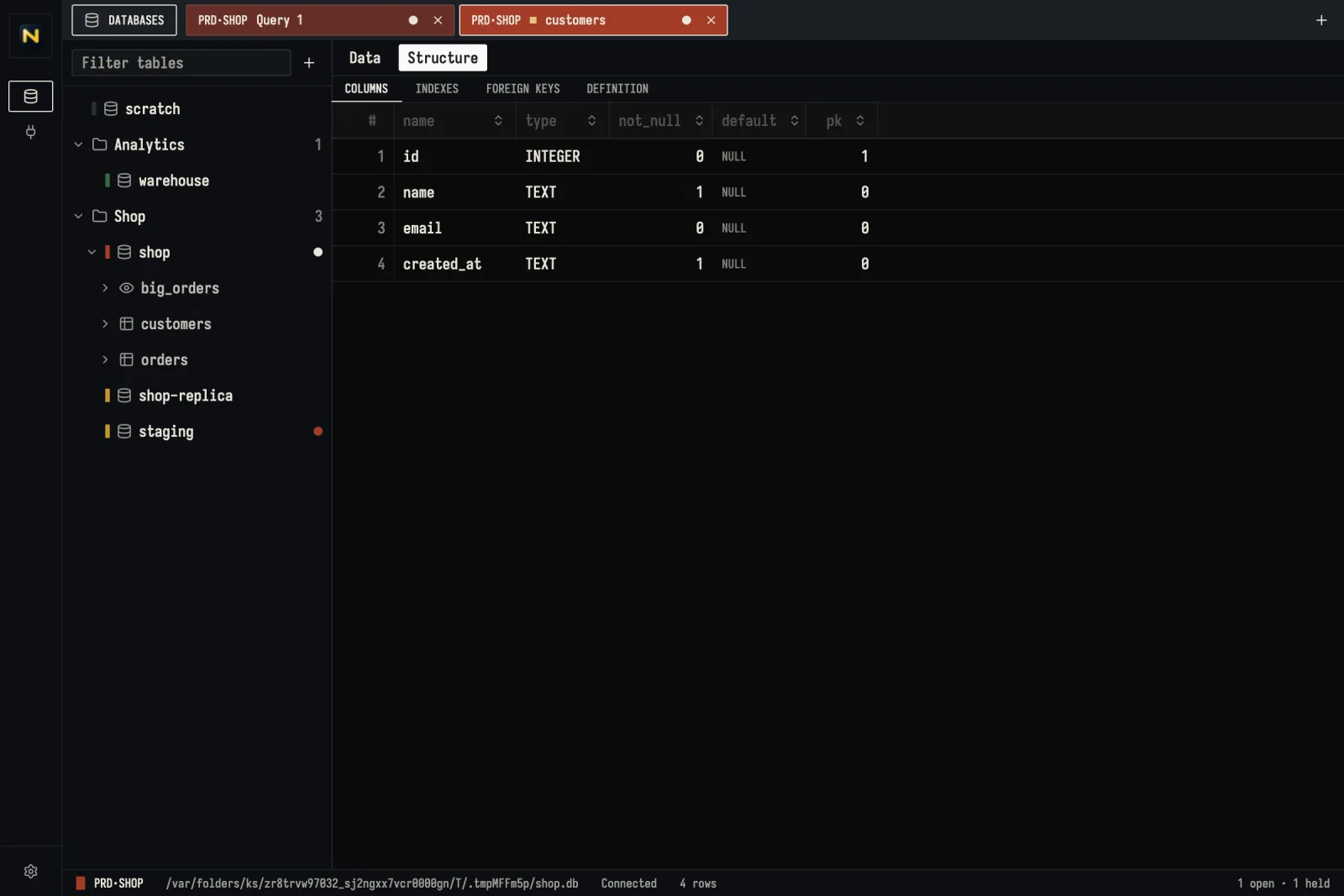
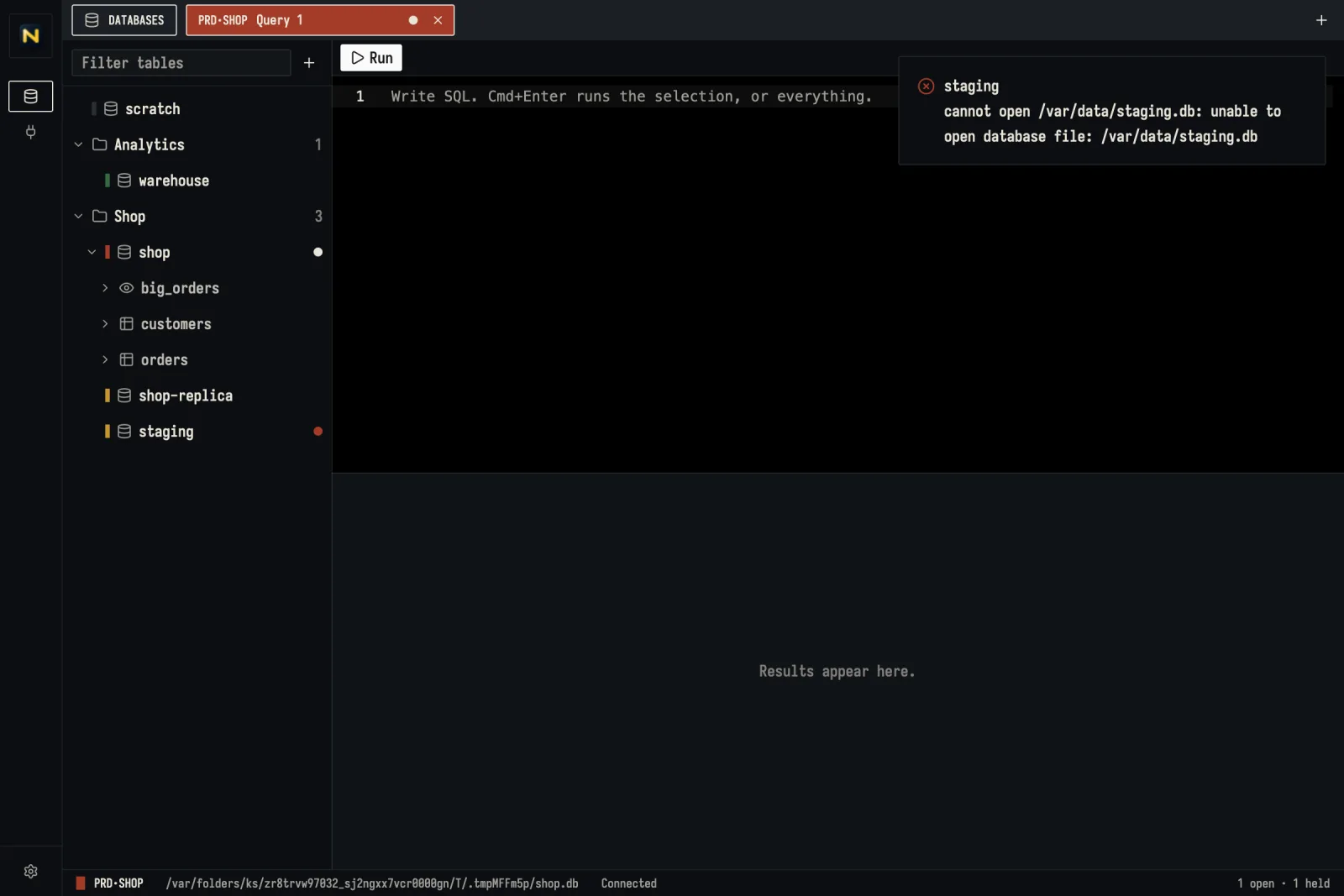
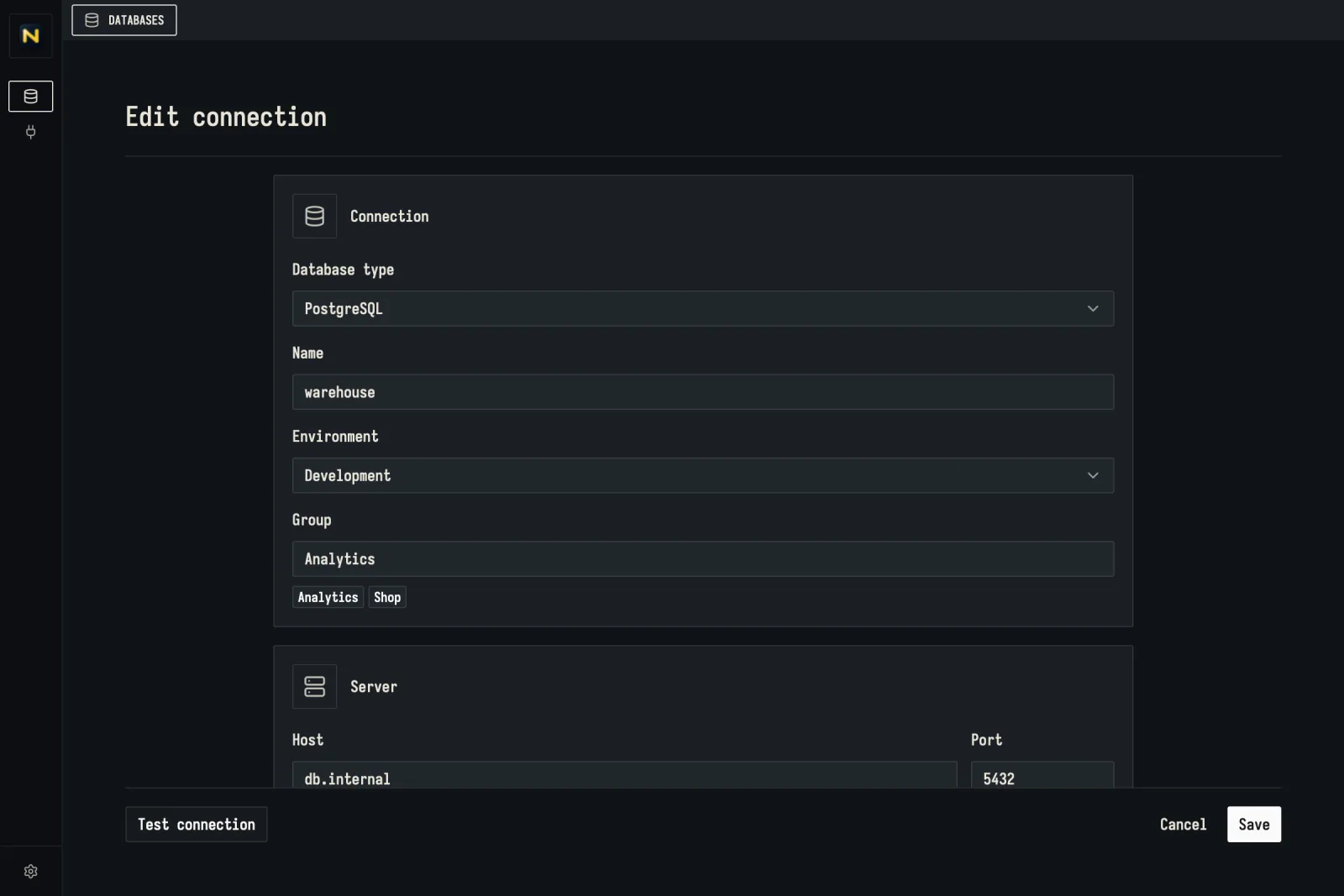
Cmd+Enter runs the selection, or the whole script when nothing is selected. Each statement reports its rows and time; an error points at where it happened.
Ground rules
Production reads before the query
Each tab carries its environment's colour and a stencilled code like PRD·SHOP, so a statement meant for staging does not run against production.
Nothing changes silently
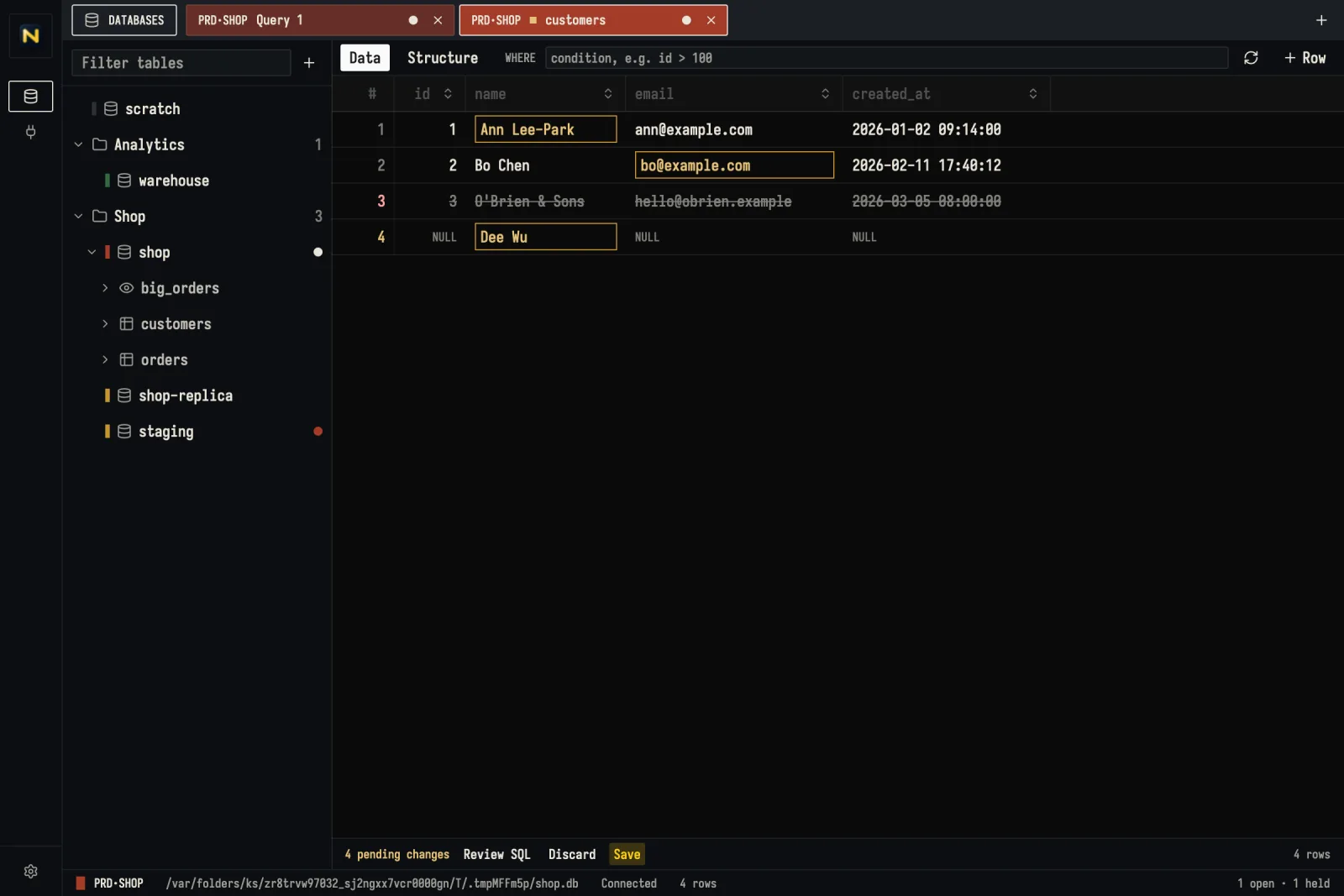
Row edits stay ochre and deletions stay struck through until you save or discard them.
Every connection stays on this machine
Connections, folders and settings live in one local SQLite file. No account, no cloud sync, no telemetry.
Native, not a web page
Drawn with GPUI and written in Rust. No Electron, no webview, no JVM.
Fair questions
PriceIs Noverdbee free?
Yes. It is open source under the MIT License. Download a build from GitHub Releases or build it yourself; pull requests are welcome.
DatabasesWhich databases does it support?
PostgreSQL and SQLite. Tables are grouped by schema in PostgreSQL, and schemas you do not need can be hidden.
PlatformsWhich systems does it run on?
macOS on Apple Silicon (a .dmg, or a one-line install script), Windows (an .exe installer) and Linux on x86-64 (an .AppImage or a .deb).
PrivacyWhere do my connections live?
In a local SQLite database in the app data folder, passwords included, in plain text for now. There is no account, no telemetry and no cloud sync. Besides your database connections, the only network request is the update check against GitHub Releases.
AIWhat can my AI agent do with it?
Through the MCP server it can list tables, describe them, and run select, insert, update or delete on the connections where you allowed that tool. Connections with no tool allowed stay invisible to it.
UpdatesHow do I get new versions?
Install once. Noverdbee checks GitHub Releases on its own and updates itself. The interface speaks English and Traditional Chinese.
Open your first connection
Download the build for your system from GitHub Releases. Add a database, pick its environment, and it opens as a tab painted like the one in this form.